Giggle Babies - Toddler Care
- 4.0
- Rating
- 10.00M
- Installs
- Free
- Price

 Analysis by App-foxy
I found Giggle Babies - Toddler Care most interesting as a small, approachable game for children who enjoy looking after characters rather than competing or solving difficult puzzles. It turns a virtual daycare into a collection of simple activities built around cute toddlers, with the emphasis on tapping, choosing, and responding to what is happening on screen. I would recommend it mainly to families looking for a gentle distraction with an educational angle, not to players expecting a deep simulation or a long-form adventure.
The game is free to download, which makes it easy to try without committing money first. It is made by TutoTOONS and belongs to the educational game category. Its audience is listed as Everyone, so the presentation is clearly aimed at a broad, family-friendly audience. At the same time, parents should remember that optional purchases range from $1.49 to $159.99 per item, so I would check the device’s purchase controls before handing it to a child.
How the daycare feels in everyday play
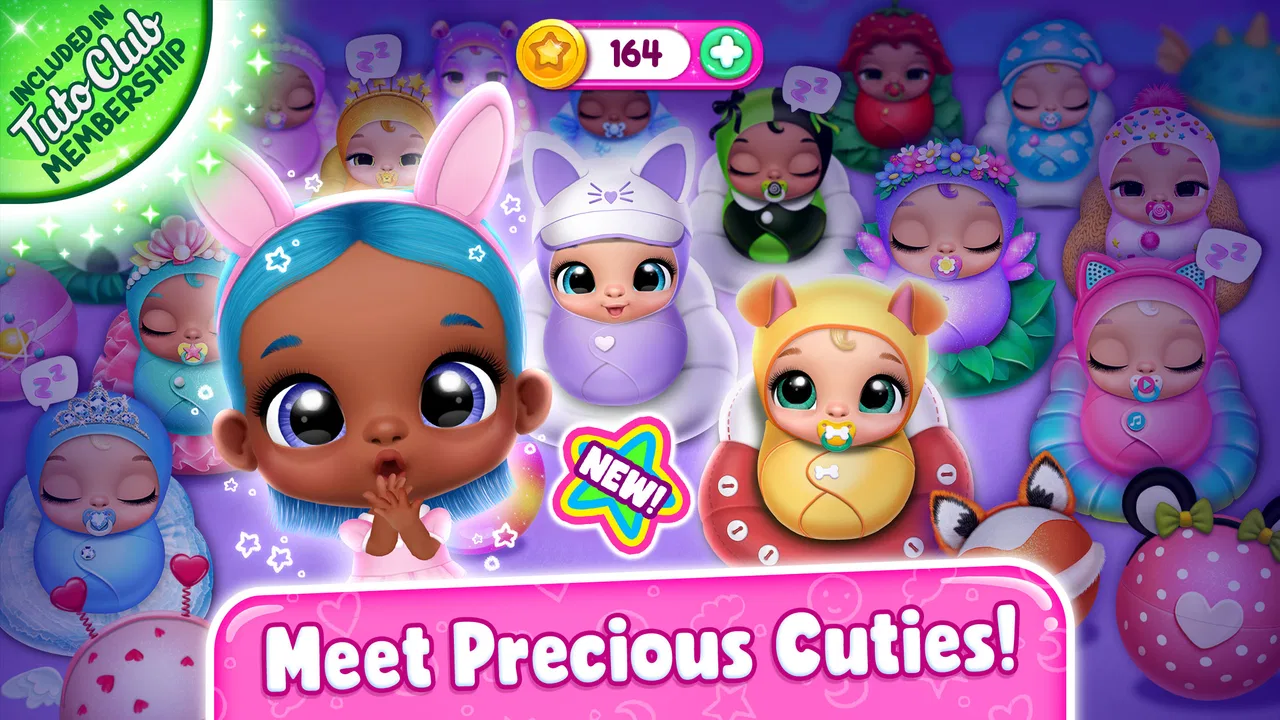
The basic appeal is easy to understand: I enter a daycare setting, care for toddlers, and move through mini-games that make those routines feel playful. Instead of asking a child to memorize complicated rules, the experience presents short tasks with an immediate visual response. That makes it suitable for brief sessions, especially when a child wants something interactive but is not ready for a demanding game.
You May Also Like

 Blood Strike: 2.5 Anniversary
Blood Strike’s Loadouts Turn Every Drop Into a Tactical Gamble
A close look at Blood Strike’s custom loadouts: how fast access to signature weapons reshapes its battle royale rhythm, rewards preparation, and narrows the gap between fights.

 Pandora - Music & Podcasts
Pandora’s Music Is Easy to Start, but Harder to Recover
Pandora’s strength is its low-effort path from a seed to a station. Its weak spot is how much confidence it asks you to place in connection, setup, and quiet recovery.

 8 Ball Pool
 Is Built on Rivalries, Rematches, and Routine
A close look at the rivalries, rematches, shared routines, and unanswered safety questions that turn a quick pool match into a persistent mobile community.

 Samsung Music
’s Quiet Strength Is Playing What You Already Own
Its reach comes less from spectacle than from dependable access to a personal library. That simplicity is both the app’s strongest retention engine and its ceiling.

 AccuWeather: Weather Radar
AccuWeather Review: A Quick, Clear Forecast for Everyday Decisions
For everyday plans, the best forecast is the one you can understand quickly. AccuWeather makes rain timing, radar, and local conditions easy to act on, with a few trade-offs.

 Hill Climb Racing
Why Hill Climb Racing Still Turns Crashes Into One More Run
A tiny car, a bumpy hill and one more upgrade: Hill Climb Racing keeps resurfacing because its simple chaos makes every near-miss feel personal.
More From Our News Desk



What works well is the role-play element. A child can imagine being responsible for the babies, and the game gives ordinary care activities a playful structure. This is more engaging than a worksheet-style educational app for children who learn better through imitation and repetition. It also gives parents a natural chance to talk about simple ideas such as taking turns, noticing needs, and completing one task before moving to another.
I would not describe it as a serious early-learning curriculum. Its educational value comes from the way it encourages attention, recognition, and basic decision-making during play. That distinction matters. If you want formal lessons in letters, numbers, reading, or mathematics, a dedicated learning app will be a better choice. If you want a pretend-care routine with mini-games, this is much closer to the right fit.
What makes the play accessible
The controls are designed around the kind of interaction young children can understand quickly. The game does not need a complicated explanation before a child can begin experimenting. That is useful in a real household, because children often want to start immediately and may lose interest during a long tutorial.
In my view, the strongest use case is a short supervised session. A parent can sit nearby, let the child choose an activity, and ask what the toddler needs or why a particular action was selected. That turns the game from passive screen time into a small conversation. The app is also more suitable for children who enjoy caring for characters than for children who prefer racing, construction, or fast reflex challenges.
One practical tip is to introduce only one activity at a time. Rather than letting a child tap randomly through everything, I would ask them to finish the current care task and explain what they are doing. This makes the simple gameplay feel more purposeful and helps reveal whether the child actually understands the interaction or is only following visual cues.
Speed expectations and the first few sessions
Because the game is built around daycare activities and mini-games rather than a large competitive world, I would approach it expecting short, focused interactions. That structure should suit children who want quick feedback, but it also means adults should not expect the depth or variety of a full console-style simulation. The appeal depends on the charm of the characters and the accessibility of the tasks.
The current version is 11.0.117, and the game was released on December 27, 2022. Those details are useful when deciding whether an older phone or tablet is likely to be a comfortable home for it. The minimum requirement is Android 6.0, which covers a wide range of devices, although a minimum operating-system requirement alone cannot guarantee equally smooth results on every model.
My advice is to judge speed during the first few minutes rather than assuming that a compatible device will feel perfect. Watch how quickly screens respond to taps, whether transitions feel comfortable for the child, and whether the device becomes warm during play. Young users are less patient with delays than adults, and even a small pause can lead to repeated tapping or accidental choices.
The important performance question is not only whether the game opens, but whether a child can use it without fighting the device. A newer tablet with a responsive touch screen will probably provide a more pleasant experience than an older phone, particularly if the child is playing while several other apps remain open.
What happens during heavier use
A short session and a long session can feel very different on a mobile device. If a child moves repeatedly between mini-games, menus, and care activities, the phone has more work to do than it would during a single quiet interaction. I would therefore avoid judging the game solely from a quick launch. Let the child play through several activities and see whether touch responses remain consistent.
There is also a practical screen-size issue. On a small phone, a young child may cover part of the display with a hand while tapping. That can make otherwise simple interactions confusing. A larger tablet is usually easier for shared play because the child can see the characters clearly and an adult can point without blocking the important area.
For families using the game as a travel activity, I would test it at home first. Confirm that the child understands the main interactions, then see how the device behaves after a longer session. This is a better preparation than discovering during a journey that the phone is nearly out of storage, running hot, or difficult for the child to control.
Another non-obvious trade-off is that the game’s simplicity can make repeated play predictable for some children. That is not a performance fault, but it affects perceived value. A child who enjoys repeating familiar care routines may stay interested, while another may move on quickly and ask for a more varied game. I would treat it as one option in a family’s app collection rather than an activity expected to entertain every child for long periods.
Stability, interruptions, and recovery
For a young-child game, recovery matters almost as much as speed. Children can tap the wrong place, leave the app accidentally, or hand the device to an adult when something feels confusing. I look for a straightforward return to play rather than a design that makes a child repeat a long sequence before continuing.
In everyday use, I would keep expectations realistic. Mobile games can be affected by the device, the operating system, available storage, and other apps running at the same time. If the game becomes sluggish, my first steps would be to close unused apps, restart the device, and make sure the system has enough free space. Those are sensible checks before deciding that the game itself is unsuitable.
Parents should also be ready to help with interruptions. A child may not understand an unexpected system message, a purchase prompt, or a request to return to the game. I would enable the device’s purchase restrictions and use a child-friendly profile where available. This is especially important here because the game is free to start but includes optional items with a wide price range.
The game’s Everyone content rating makes it easier to consider for family use, but a rating does not replace supervision. The best arrangement depends on the child’s age, confidence with touch screens, and ability to understand that not every on-screen button should be pressed. For a very young player, I would play the first sessions together and then decide whether independent use feels appropriate.
Device constraints and resource awareness
The Android 6.0 minimum is a helpful sign for owners of older compatible devices, but it should not be mistaken for a promise of identical performance across all hardware. A phone that technically meets the requirement may have a smaller display, less available memory, or a tired battery. Those factors can matter more to a child’s experience than the operating-system version itself.
I would choose a device with a responsive touch screen, comfortable brightness, and enough battery for a short session. A tablet is often the better family option because the daycare scenes are easier to see and parents can participate without crowding the display. A phone remains useful for travel, but it is less comfortable if the child needs help with several activities.
Storage is another sensible consideration. The game itself is only one part of a device’s workload, and a nearly full phone can behave poorly regardless of the app being used. Before installing, I would remove unused downloads and close background apps. If the device is old and already struggles with ordinary menus, I would not choose this as the first game to install without testing it carefully.
Resource demands also affect family routines. If the device loses battery quickly or becomes uncomfortable to hold, the child’s session should end even if the game remains engaging. I prefer setting a simple time limit in advance. That prevents the daycare theme from turning into an open-ended request for “just one more” activity and keeps the game in its proper role as a short entertainment option.
How it compares with familiar alternatives
Compared with a standard puzzle game, this title is more imaginative and less focused on getting a correct answer quickly. Compared with a drawing app, it offers more structure because the child is responding to characters and care situations. Compared with a formal preschool-learning app, it is less lesson-driven and more dependent on pretend play.
That makes the choice fairly clear. I would pick this game for a child who likes dolls, toy animals, pretend kitchens, or playing parent. I would choose a phonics or counting app instead for a child who needs direct practice with school skills. I would choose a creative sandbox for a child who wants to build freely. The daycare setting is its identity, and it should be judged on how well it supports that kind of play.
There is also a difference in adult involvement. A dedicated learning app may give parents clearer progress goals, while this game is better suited to casual observation and conversation. That can be a strength when the goal is shared play, but a weakness when a parent wants detailed educational tracking.
Who should try it, and who should skip it
I think it is a good match for young children who enjoy caring for cute characters, need an easy-to-enter activity, and are happy with repeated mini-games. It can also work for a parent looking for a free starting point before paying for a more specialized children’s app. The broad age rating and low entry cost make that trial relatively straightforward.
I would skip it if you want a quiet, text-free experience with no purchase concerns, because any free game with optional items deserves adult setup first. I would also skip it for a child who becomes frustrated by repetition or wants advanced challenges. Older children may find the care routines too simple, especially if they are already comfortable with more complex games.
One useful way to test the fit is to watch the child after the novelty fades. Do they make choices deliberately, talk about the toddlers, and return to a favorite activity? Or do they tap quickly and ask for something else? That observation tells you more than the install decision alone and helps determine whether the game is genuinely engaging or merely colorful for a few minutes.
My performance verdict
With an average rating of 3.9 from around 17 thousand ratings and more than 10 million installs, the game has clearly reached a large audience, although popularity does not guarantee that it will suit every child or every device. Its free starting point, family-friendly presentation, and simple daycare concept are the main reasons I would suggest trying it.
My overall view is positive but specific: this is a light educational game for pretend care, not a comprehensive learning tool and not a demanding simulation. I would install it on a reasonably responsive Android device, test several activities, set purchase controls, and use it in short sessions. If the child enjoys nurturing play, it can become a pleasant part of a rotation of activities.
The developer, TutoTOONS, has chosen an accessible concept that does not require a child to understand complicated rules before having fun. That is the game’s biggest strength. Its main limitation is the same simplicity: children seeking deeper progression, stronger academic practice, or constant novelty will probably outgrow it or prefer another category.
For me, the final decision comes down to expectations. If you want a gentle daycare role-play game that is free to begin and easy to share with a child, Giggle Babies - Toddler Care is worth a careful try. If you need measurable lessons, advanced gameplay, or a completely hands-off experience, I would look elsewhere. Used with sensible supervision and on a device that responds well, it is a friendly, low-pressure choice rather than an app I would present as an all-purpose solution.
FAQs for Giggle Babies - Toddler Care
01What is Giggle Babies - Toddler Care about?
Giggle Babies - Toddler Care is a delightful simulation game designed for young children. It focuses on nurturing and caring for virtual babies. Players engage in activities like feeding, dressing, and playing with the toddlers, enhancing their sense of responsibility and creativity. The game offers a safe and educational environment for kids to learn and have fun.
02Is Giggle Babies - Toddler Care safe for children?
Yes, Giggle Babies - Toddler Care is designed with child safety in mind. The game features kid-friendly content without any inappropriate ads or in-app purchases that could lead to unexpected expenses. Parental controls are available to ensure a secure and enjoyable experience for young players.
03What are the main features of Giggle Babies - Toddler Care?
The app includes interactive activities such as feeding, bathing, and dressing the babies. It also offers mini-games that help develop fine motor skills and cognitive abilities. The colorful graphics and engaging sounds make it appealing to toddlers, encouraging them to explore and learn through play.
04Does Giggle Babies - Toddler Care require an internet connection?
Giggle Babies - Toddler Care can be played without an internet connection, making it ideal for on-the-go entertainment. However, some features, like updates or online exclusive content, might require connectivity. Parents can rest assured that the core gameplay remains accessible offline.
05Are there in-app purchases in Giggle Babies - Toddler Care?
The game is free to download and play, but it may offer optional in-app purchases to enhance the gameplay experience. These purchases are usually for cosmetic items or additional content. Parents can disable in-app purchases through device settings to prevent accidental purchases by children.
Pros
- Engaging and colorful graphics.
- Simple controls for toddlers.
- Educational mini-games included.
- Encourages creativity and imagination.
- No in-app purchases for peace of mind.
Cons
- Limited content variety.
- Repetitive tasks may bore older kids.
- Requires internet for some features.
- Ads can interrupt gameplay.
- Lacks parental control options.

Giggle Babies - Toddler Care
Gallery